
Source: View original notebook on GitHub
Category: Python / 1 Learn Python
OOPS(Object Oriented Programming)

(https://docs.python.org/3.7/tutorial/classes.html)
things to discuss:
- class, objects, reference variables
- Using the class keyword
- Creating class attributes
- Creating methods of class (which btw always have self variable)
- Learning about Inheritance
- Learning about Polymorphism( operator overloading(magic functions: MagicDunders), function overriding and function overloading)
- Learning about Special Methods for classes
- use
obj.__doc__to print docstring of class whose object is obj - and
help(ClassName or object of class)to get all info about class - use
obj.dictto see various class variables and its value as dictionary
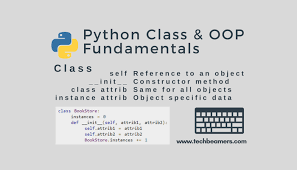
<center>Class</center>
- class => Blueprint/Template
- object => physical existence of class (i.e Reality)
- User defined objects are created using the <code>class</code> keyword.
- The class is a blueprint that defines the nature of a future object. From classes we can construct instances. - An instance is a specific object created from a particular class.
<center> self variable as argument </center>
self is a reference variable which is always pointing to current object.
this is like
thiskeyword in c++ or javaProof is in very next cell :
First argument to all the methods inside class must be self
and we are not required to pass that self to methods while calling them it is the automatted job of PVM(Python Virtual Machine)
to define and access instance variable we need to use self.var_name
class Student():
    def __init__(self):
        print(id(self))

s= Student()
print(id(s))
Output:
104436176
104436176
# defining Class
class Person:
    '''This class does Nothing:)'''
    pass
# creating instance of class

p = Person()
print(type(p))

print(p.__doc__) # prints the docstring
print("sfafs")
help(Person) # give info about class
Output:
<class '__main__.Person'>
This class does Nothing:)
sfafs
Help on class Person in module __main__:

class Person(builtins.object)
 |  This class does Nothing:)
 |
 |  Data descriptors defined here:
 |
 |  __dict__
 |      dictionary for instance variables (if defined)
 |
 |  __weakref__
 |      list of weak references to the object (if defined)
By convention we give classes a name that starts with a capital letter.
p is now the reference to our new instance of a Sample class. In other words, we instantiate the Sample class.
Inside of the class we currently just have pass. But
We can define class attributes and methods.
An attribute is a characteristic of an object.
A method is an operation we can perform with the object.
For example, we can create a class called Dog.
An attribute of a dog may be its breed or its name,
while a method of a dog may be defined by a .bark() method which returns a sound.
<center> Attributes or Variables </center>
Inside Python Class
- 3 types of Variables
- Instance Variables (different copy for diff. objects declared with self.name in various methods of class)
- Static/Class Variable (only one copy for diff. objects)
- Local Variable (the remaining temporary ones)
The syntax for creating an Instance Variable is:
self.attribute = something
In Python there are also class attributes. These Class Attributes are the same for any instance of the class. For example, we could create the attribute species for the Dog class. Dogs, regardless of their breed, name, or other attributes, will always be mammals. We apply this logic in the following manner:
class Dog():
    species = 'Mammals' # class attribute
    def __init__(self,breed):
        self.breed = breed # an object attribute is creates and named breed

    def bark(self):
        print("Dog is Barking Wooh Wooh!")


d = Dog("German Shepherd")
print(d.breed)
d.bark()
print(d.species)
Output:
German Shepherd
Dog is Barking Wooh Wooh!
Mammals
# class name can be used to call class /static Variables
Dog.species
Output:
'Mammals'
- Note that the Class Object Attribute is defined outside of any methods in the class. Also by convention, we place them first before the init.
<center> Methods </center>
- There is a special method called:This method is used to initialize the attributes of an object(called the constructor in other languages like c++). and similarly provide default one if defined by user.
__init__()
- There is also a destructor
__del__()- used to delete some things like close network conection ,close db connection before deleting the object.
- just before garbage collector clean this object , gc always executes destructor.
Methods or constructor overloadding is done using
*argsand**kwargs.- if defined like in c++ or java (i.e functions with same name but different number of parameters) then most lately defined method is considered only
Inside Python Class
3 types of Methods
Instance Methods (name says it all!)
- All the methods have self(
pointing to class_name object) as first argument var.
- All the methods have self(
Class Method (can also be called by className.fun()); (Have @classmethod at the top)
@classmethodhave an incoming implicit parameter ofpointing to class data (like class/static variables)used to access class/static Variables but not self(which is of type class_name object)# defined inside class as
@classmethod
#clm is required if u want to call class Variables and this is implicitly provided by PVM as well during its call
def print_species(clm):
print(clm. species)
# species is a class Variable
Static Methods Methods(can also be called by className.fun());(have @staticmethod at the top)
@staticmethoddoesn't have any implicit paramter( not even self) we just require to pass as many it wants.- it is just a general-utility/helper method for class
@staticmethod
def average(x,y):
    return (x+y)/2
class test():
    species = 'mammals'

    def display(self):
        print(self) # printing its type
        print("in Disply fun()")
    @classmethod
    def d(sd):
        print(sd)
        print(sd.species)

    @staticmethod
    def average(x,y):
        return (x+y)/2
t= test()
t.display()
Output:
<__main__.test object at 0x01579890>
in Disply fun()
test.d()
Output:
<class '__main__.test'>
mammals
t.average(10,20)
Output:
15.0
<hr>
Where can we declare/access/modify/delete instance variables
declare
- inside init() using self
- inside other functions of class using self
- outside class using object
- can see all list of object variables of object using
obj.__dict__and class variable usingDog.__dict__
access or modify
- inside class ,use self.name
print("breed is : ", self.breed)
- outside class , use object(obj.breed)
delete
use del keyword
- inside class
del self.breed
- outside
del obj.breed
class Dog():
    species = 'mammals'
    def __init__(self,name):
        self.name = name # creating object variable

    def which_breed(self,breed):
        print("name is: ", self.name) # accesing variable inside class
        print("species is : ", Dog.species) # could have used self.species as well but Dog.species is convention so
        # that we can know this is a class variable
        self.breed = breed #creating another object variable ;declared after calling  this method even once

    def delete_breed(self):
        del self.breed
d=Dog('tommy')
d.__dict__
Output:
{'name': 'tommy'}
d.which_breed('German Shepherd')
Output:
name is:  tommy
species is :  mammals
d.__dict__
Output:
{'name': 'tommy', 'breed': 'German Shepherd'}
d.legs = 4
d.__dict__
Output:
{'name': 'tommy', 'breed': 'German Shepherd', 'legs': 4}
d.breed
Output:
'German Shepherd'
del d.legs
d.__dict__
Output:
{'name': 'tommy', 'breed': 'German Shepherd'}
d.delete_breed()
d.__dict__
Output:
{'name': 'tommy'}
Dog.__dict__
Output:
mappingproxy({'__module__': '__main__',
              'species': 'mammals',
              '__init__': <function __main__.Dog.__init__(self, name)>,
              'which_breed': <function __main__.Dog.which_breed(self, breed)>,
              'delete_breed': <function __main__.Dog.delete_breed(self)>,
              '__dict__': <attribute '__dict__' of 'Dog' objects>,
              '__weakref__': <attribute '__weakref__' of 'Dog' objects>,
              '__doc__': None})
<hr>
Varoius places to declare static variable
- inside class and outside all methods (species in above example)
- inside any class method using class name (Dog.species = 'mammals')
- inside classmethod using implicitly passed 'cls' variable
- inside static method using class name
- outside class using class name
Varoius places to access static variable
- inside class
- using self,classname,cls variables
- outside class
- using class or object variable
Varoius places to modify static variable
- inside class
- using self,classname,cls variables
- outside class
- using only class variable (note -> if 'obj' variable is used to change the static variable outside class then static variable is not modified instead a new object variable is declared in that 'obj')
Varoius places to delete static variable
- inside class
- using del self,classname,cls variables
- outside class
- using del class-variable only (; no object variable)
class Dog():
    a=10 # point 1
    def __init__(self):
        Dog.b = 11  # point2
    def funcy(self):
        Dog.c = 12  # point2

    @classmethod
    def defau(cls):
        cls.d = 13 # point3
    @staticmethod
    def sum(s,y):
        Dog.e = 14 # point4
d = Dog()
d.__dict__ # gives object variables not class variables
Output:
{}
Dog.__dict__
Output:
mappingproxy({'__module__': '__main__',
              'a': 10,
              '__init__': <function __main__.Dog.__init__(self)>,
              'funcy': <function __main__.Dog.funcy(self)>,
              'defau': <classmethod at 0x11b09d0>,
              'sum': <staticmethod at 0x11b09f0>,
              '__dict__': <attribute '__dict__' of 'Dog' objects>,
              '__weakref__': <attribute '__weakref__' of 'Dog' objects>,
              '__doc__': None,
              'b': 11})
d.funcy()
print(d.__dict__)
print('----------------')
print(Dog.__dict__)
Output:
{}
----------------
{'__module__': '__main__', 'a': 10, '__init__': <function Dog.__init__ at 0x06665BB8>, 'funcy': <function Dog.funcy at 0x06665F60>, 'defau': <classmethod object at 0x011B09D0>, 'sum': <staticmethod object at 0x011B09F0>, '__dict__': <attribute '__dict__' of 'Dog' objects>, '__weakref__': <attribute '__weakref__' of 'Dog' objects>, '__doc__': None, 'b': 11, 'c': 12}
d.defau()
print(d.__dict__)
print('----------------')
print(Dog.__dict__)
Output:
{}
----------------
{'__module__': '__main__', 'a': 10, '__init__': <function Dog.__init__ at 0x06665BB8>, 'funcy': <function Dog.funcy at 0x06665F60>, 'defau': <classmethod object at 0x011B09D0>, 'sum': <staticmethod object at 0x011B09F0>, '__dict__': <attribute '__dict__' of 'Dog' objects>, '__weakref__': <attribute '__weakref__' of 'Dog' objects>, '__doc__': None, 'b': 11, 'c': 12, 'd': 13}
d.sum(2,3)
print(d.__dict__)
print('----------------')
print(Dog.__dict__)
Output:
{}
----------------
{'__module__': '__main__', 'a': 10, '__init__': <function Dog.__init__ at 0x06665BB8>, 'funcy': <function Dog.funcy at 0x06665F60>, 'defau': <classmethod object at 0x011B09D0>, 'sum': <staticmethod object at 0x011B09F0>, '__dict__': <attribute '__dict__' of 'Dog' objects>, '__weakref__': <attribute '__weakref__' of 'Dog' objects>, '__doc__': None, 'b': 11, 'c': 12, 'd': 13, 'e': 14}
Dog.f = 16 # point5
print(d.__dict__)
print('----------------')
print(Dog.__dict__)
Output:
{}
----------------
{'__module__': '__main__', 'a': 10, '__init__': <function Dog.__init__ at 0x06665BB8>, 'funcy': <function Dog.funcy at 0x06665F60>, 'defau': <classmethod object at 0x011B09D0>, 'sum': <staticmethod object at 0x011B09F0>, '__dict__': <attribute '__dict__' of 'Dog' objects>, '__weakref__': <attribute '__weakref__' of 'Dog' objects>, '__doc__': None, 'b': 11, 'c': 12, 'd': 13, 'e': 14, 'f': 16}
Which variables to use with which function?
- inside
instance methodhaving self as implicit argument we can useinstance/static/local variable(all 3) - inside
class methodhaving cls as implicit argument we can usestatic/local variable - inside
static methodhaving no implicit argument we can uselocal variable
Setters and Getters
class Student():
    # Setters
    def setName(self,name):
        self.name  = name

    def setAge(self,age):
        self.age = age

    # Getters
    def getName(self):
        return self.name

    def getAge(self):
        return self.age
s=Student()
s.setName('shaurya')
s.setAge(21)
s.getName()
Output:
'shaurya'
s.getAge()
Output:
21
Inner Class
- any class defined inside a class is inner class.
- without the existence of outer class there is no chance of inner class to be exist.
- inner class object is always associated with outer class object.
class Outer():
    def __init__(self):
        print("<<< outer constructor >>>")

    def outer_method(self):
        print("<<< outer method >>>")

    class Inner():
        def __init__(self):
            print("<<< inner constructor >>>")
        def inner_method(self):
            print("<<< inner method >>>")
o = Outer()
Output:
<<< outer constructor >>>
i = o.Inner()
Output:
<<< inner constructor >>>
i.inner_method()
Output:
<<< inner method >>>
o.outer_method()
Output:
<<< outer method >>>
i2 = Outer().Inner()
Output:
<<< outer constructor >>>
<<< inner constructor >>>
i2.inner_method()
Output:
<<< inner method >>>
Outer().Inner().inner_method()
Output:
<<< outer constructor >>>
<<< inner constructor >>>
<<< inner method >>>
#use case of inner class as DOB exist only for a person we dont create outside class(Data hiding)


class Person():
    def __init__(self,name,date,month,year):
        self.name = name
        self.dob = self.DOB(date,month,year) # instance inner class reference

    def display_details(self):
        print("Name is : {}".format(self.name))
        self.dob.display_dob()

    class DOB():
        def __init__(self,date,month,year):
            self.date = date
            self.month = month
            self.year = year

        def display_dob(self):
            print(f"DOB is : {self.date}/{self.month}/{self.year}")
p = Person('shaurya',18, 'August', 1997)
p.display_details()
Output:
Name is : shaurya
DOB is : 18/August/1997
Garbage Collection/Collector
- used to delete useless objects
- to see ,is garbage collector is enable or not ;or to make it enable or disable we have:
- gc module with functions 1.isenable() 2.enable() 3.disable()
import gc
gc.isenabled()
Output:
True
gc.disable()
gc.isenabled()
Output:
False
gc.enable()
gc.isenabled()
Output:
True
Polymorphism
- many forms
- one Person many versions
Operator Overloading
- done using magic/Dunder functions
- for every operator , a corresponding magic function is available (https://rszalski.github.io/magicmethods/)
- like for +(
__add__), -(__sub__), *(__mul__), /(__div__)
class Book():
    def __init__(self,pages):
        self.pages = pages

    def __add__(self,another_obj):
        return self.pages + another_obj.pages
    def __sub__(self,other):
        return self.pages - other.pages
    def __mul__(self,other):
        return self.pages * other.pages
    def __floordiv__(self,other):
        return self.pages // other.pages
    def __mod__(self,other):
        return self.pages % other.pages
    def __pow__(self,other):
        return self.pages ** other.pages
    def __and__(self,other):
        return self.pages & other.pages
    def __or__(self,other):
        return self.pages | other.pages
    def __str__(self):
        return "pages are {}".format(self.pages)
b1 = Book(2)
b2 = Book(4)

print(b1+b2)
print(b1-b2)
print(b1*b2)
print(b1%b2)
print(b1//b2)
print(b1**b2)
print(b1 & b2)
print(b1 | b2)
print(b1)
print(b2)
Output:
6
-2
8
2
0
16
0
6
pages are 2
pages are 4
Various Magic Functions(Magic Dunders)
+   __add__                       +=   __iadd__
-   __sub__                       -=   __isub__
*   __mul__                       *=   __imul__
/   __div__                       /=   __idiv__
%   __mod__                       %=   __imod__
//  __floordiv__                  //=   __ifloordiv__
**  __pow__                       **=   __ipow__


&   __and__
|   __or__
^   __xor__
<<  __lshift__
>>  __rshift__
~   __invert__

<   __lt__
>   __gt__
<=  __le__
>=  __ge__
==  __eq__
!=  __ne__


print()  __str__ or __repr__
len()  __len__
# for returning table object from magic function
class Table():
    def __init__(self,legs):
        self.legs = legs
    def __add__(self,other):
        total =  self.legs + other.legs
        b = Table(total)
        return b
    def __repr__(self):
        return f"{self.legs}"
t1 = Table(4)
t2 = Table(6)
t3 = Table(8)
print(t1+t2)
Output:
10
print(t1+t2+t3)
Output:
18
INHERITANCE
class DerivedClassName(BaseClassName):
    <statement-1>
    .
    .
    .
    <statement-N>

- all variables and functions of parents are now also available in our child class and we can override functions as well.
- we can inherit static/class or instance variables to subclasses.
- unlike c++ there is no constructor calling of parent/parents when declaring an object of supreme subclass unless explicity said to call ,use super() to call.
- we can override any method of parent in our child class and the version which is called depends upon the object-type through which u r calling it.(i.e for c++ programmers: all methods in python are effectively virtual or we can say calling of method depends on type of object it is pointing to).
- Python has two built-in functions that work with inheritance:
-Use
isinstance()to check an instance’s type: isinstance(obj, int) will be True only if obj.class is int or some class derived from int. -Useissubclass()to check class inheritance: issubclass(bool, int) is True since bool is a subclass of int. However, issubclass(float, int) is False since float is not a subclass of int.
Type of Inheritance
- Single Inheritance (1 parent 1 child) (A->B)
- Multi-level Inheritance (chaining of single Inheritance) (A->B->C->D)
- Hierarchical Inheritance (1 parent multiple childs) (A->B, A->C, A->D) think like binary trees i.e root up
- Multiple Inheritance (1 child multiple parents) (B->A, C->A, D->A)
- Hybrid Inheritance (any combination of aboves)
Multiple Inheritance
Python supports a form of multiple inheritance as well. A class definition with multiple base classes looks like this:
class DerivedClassName(Base1, Base2, Base3):
    <statement-1>
    .
    .
    .
    <statement-N>
- Incase of Ambiguity problem/Diamond relationship problem (in multiple inheritance two superclassses have same method ) then order in which classes are inherited ,priority is given to the one which is written first.
- ex i above written code, if Base1 and Base2 ,both contains a method m1(), then m1 version of Base1 will be in subclass not of Base2
class Vechile():
    def __init__(self):
        print("Vechile Created")

    def vechile_info(self):
        print("I am a vechile!")

class Car(Vechile):
    def __init__(self,color,tyres):
        self.color = color
        self.tyres = tyres
        print("Car created")

    def print_details(self):
        print("color is : {}".format(self.color))
        print("number of tyres : {}".format(self.tyres))
        print("I am a Car!")
c = Car('Blue', 4) # see no parent constructor calling
Output:
Car created
c.print_details()
Output:
color is : Blue
number of tyres : 4
I am a Car!
class Vechile():
    a=10
    def __init__(self):
        print("Vechile Created")
        self.b = 20

    def vechile_info(self):
        print("I am a vechile!")

class Car(Vechile):
    def __init__(self,color,tyres):
        self.color = color
        self.tyres = tyres
        print("Car created")
        Vechile.__init__(self) # explicitly calling parent constructor

    def print_details(self):
        print("color is : {}".format(self.color))
        print("number of tyres : {}".format(self.tyres))
        print("I am a Car!")

    def vechile_info(self): # overriding the parent method
        print("I am a Car! now...")
c = Car('Red',4)
print("-------------")
v  = Vechile()
Output:
Car created
Vechile Created
-------------
Vechile Created
c.vechile_info()
Output:
I am a Car! now...
v.vechile_info()
Output:
I am a vechile!
c.b
Output:
20
# Ambigity Problem
class A:
    def m1(self):
        print("---A---")
class B:
    def m1(self):
        print("---B---")
class C(A,B): # Multiple Inheritance
    pass

class D(B,A): # Multiple Inheritance
    pass
c=C()
c.m1()
Output:
---A---
d= D()
d.m1()
Output:
---B---
- Mro
- C3 Algorithm
- (mro(x) = merge(mro(base1) + mro(base2) + base1 base2)) if x is class that is mutiply inherited form base1 and base2
D.mro()
# mro is method resolution order
# details on (https://www.youtube.com/watch?v=w0GlHaBP364&list=PLd3UqWTnYXOkzPunQOObl4m_7i6aOIoQD&index=16)
                                                    #  or
# in the simplest cases, you can think of the search for attributes inherited from a parent class as depth-first,
# left-to-right, not searching twice in the same class where there is an overlap in the hierarchy. Thus, if an attribute is
# not found in DerivedClassName, it is searched for in Base1,
# then (recursively) in the base classes of Base1, and if it was not found there, it was searched for in Base2, so on
Output:
[__main__.D, __main__.B, __main__.A, object]
Super()
- helpful in inheritance
- to call parent class members we use super() method
- advantage -> code usability
- limitation -> using super() we cannot call instance variables of super class instead use self beacuse parent class variables are now subclass variables (# point x)
- in java , super() was used to call the constructor of parent using
super(arguments to parent constructor). - but in python it can be use to call any method of parent
super().funky(arguments to method funky). - another difference is that if method called by super is not found in parent ,then it will go deep into the hierarchy and search for method to call . (# point a)
- using super(), PVM automatically knows about the object.
class Person:
    a=10
    def __init__(self,name,age):
        self.name = name
        self.age = age
        self.b=20
    def printPerson(self):
        print(f"name is :{self.name}")
        print(f"age is :{self.age}")

class Student(Person):
    def __init__(self,name,age,rollno,marks):
        super().__init__(name,age)
        self.rollno = rollno
        self.marks = marks

    def printPerson(self):
        print(super().a)
        print(self.a)
        print(self.b)
        # print(super().b) # error here point x
        super().printPerson()
        print(f"rollno is :{self.rollno}")
        print(f"marks are : {self.marks}")

class Teacher(Person):
    def __init__(self,name,age,teacher_id):
        super().__init__(name,age)
        self.teacher_id = teacher_id
    def printPerson(self):
        super().printPerson()
        print(f"teacher_id is :{self.teacher_id}")
t = Teacher('shaurya',21,1123)
t.printPerson()
Output:
name is :shaurya
age is :21
teacher_id is :1123
s = Student('shaurya', '21',rollno = '1123', marks = '23')
s.printPerson()
Output:
10
10
20
name is :shaurya
age is :21
rollno is :1123
marks are : 23
# point a Example
class A:
    def m(self):
        print('A')
class B(A):
    def m(self):
        print('B')
class C(B):
    def m(self):
        print('C')
class D(C):
    def m(self):
        print('D')
class E(D):
    def m(self):
        super().m()
        print('E')
e = E()
e.m()
Output:
D
E
# point a Example - changed to show the point
class A:
    def m(self):
        print('A')
class B(A):
    def m(self):
        print('B')
class C(B):
    def m(self):
        print('C')
class D(C):
    pass # changed here
class E(D):
    def m(self):
        super().m()
        print('E')
e= E()
e.m()
Output:
C
E
Ways to call particular method of a particular parent if multiple parents are there?
(point b)
- use class_name.method() instead of super()
- will call method() of class_name # way 1
- or use super(class_name,self).method()
- will call super() on class_name hence calling parent of class_name 's method()
# point b Example
class A:
    def m(self):
        print('A')
class B(A):
    def m(self):
        print('B')
class C(B):
    def m(self):
        print('C')
class D(C):
    def m(self):
        print('D')
class E(D):
    def m(self):
        A.m(self)  # way 1
        super(C,self).m() # way2
        print('E')
e= E()
e.m()
Output:
A
B
E
Private Variables
“Private” instance variables that cannot be accessed except from inside an object don’t exist in Python. However, there is a convention that is followed by most Python code: a name prefixed with an underscore (e.g.
_spam) should be treated as a non-public part of the API (whether it is a function, a method or a data member). It should be considered an implementation detail and subject to change without notice.Since there is a valid use-case for class-private members (namely to avoid name clashes of names with names defined by subclasses), there is limited support for such a mechanism, called
name mangling.Any identifier of the form
__spam(at least two leading underscores, at most one trailing underscore) is textually replaced with_classname__spam, where classname is the current class name with leading underscore(s) stripped.This mangling is done without regard to the syntactic position of the identifier, as long as it occurs within the definition of a class.
Name mangling is helpful for letting subclasses override methods without breaking intraclass method calls. For example:
class Mapping:
    def __init__(self, iterable):
        self.items_list = []
        self.__update(iterable)

    def update(self, iterable):
        for item in iterable:
            self.items_list.append(item)

    __update = update   # private copy of original update() method

class MappingSubclass(Mapping):

    def update(self, keys, values):
        # provides new signature for update()
        # but does not break __init__()
        for item in zip(keys, values):
            self.items_list.append(item)
The above example would work even if MappingSubclass were to introduce a
__update identifiersince it is replaced with_Mapping__updatein the Mapping class and_MappingSubclass__updatein the MappingSubclass class respectively.Note that the mangling rules are designed mostly to avoid accidents; it still is possible to access or modify a variable that is considered private.
This can even be useful in special circumstances, such as in the debugger.
class test:
    def __init__(self):
        self.a = 12
        self._b = 21 # this becomes non-public hence can't be access outside class as b but can be used as _b
        self.__c = 23 # this becomes non-public hence can't be access anywhere with c or _c or __c
t= test()
t.a
Output:
12
t.b
Output:
AttributeError: 'test' object has no attribute 'b'
t._b
Output:
21
t.__b
Output:
AttributeError: 'test' object has no attribute '__b'
t.c
Output:
AttributeError: 'test' object has no attribute 'c'
t._c
Output:
AttributeError: 'test' object has no attribute '_c'
t.__c
Output:
AttributeError: 'test' object has no attribute '__c'
Note
- deleting something just deletes the variable form memory, doesn't clear the memory itself.
- it is the garbage collector that does that in python and java(Garbage collector based languages).
- In c++ it deletes the memory that's we need to tell whether delete array or variable because it clears the memory .
Abstract Classes
-  abc
    - ABC
    - abstractmethod
from abc import ABC,abstractmethod # abc means abstract base class
# need to inherit ABC for making a class abstract and use @abstractmethod to define that method abstract
class Shape(ABC):

    def __init__(self):
        print('Hi i am a Shape')

    @abstractmethod
    def area(self):
        print('Hi my area is : ')
class Rectangle(Shape):

    def __init__(self,length,width):
        self.length = length
        self.width = width
        print('Hi i am a Recatangle')

    def area(self):
        print(self.length*self.width)

class Circle(Shape):

    def __init__(self,radius):
        self.radius = radius
        print('Hi i am a Circle')

    def area(self):
        print(3.14*self.radius*self.radius)
s = Shape() # Can't instantiate abstract class Shape
Output:
TypeError: Can't instantiate abstract class Shape with abstract methods area
r = Rectangle(4,3)
Output:
Hi i am a Recatangle
r.area()
Output:
12
c =Circle(10)
Output:
Hi i am a Circle
c.area()
Output:
314.0
class Shape(ABC):

    def __init__(self):
        print('Hi i am a Shape')

    @abstractmethod
    def area(self):
        print('Hi my area is : ')


    @abstractmethod
    def mustImplement(self):
        print('you must implemet me')
class Rectangle(Shape):

    def __init__(self,length,width):
        self.length = length
        self.width = width
        print('Hi i am a Recatangle')

    def area(self):
        print(self.length*self.width)

class Circle(Shape):

    def __init__(self,radius):
        self.radius = radius
        print('Hi i am a Circle')

    def area(self):
        print(3.14*self.radius*self.radius)
r = Rectangle(4,3)
Output:
TypeError: Can't instantiate abstract class Rectangle with abstract methods mustImplement
c =Circle(10)
Output:
TypeError: Can't instantiate abstract class Circle with abstract methods mustImplement
#solution
class Shape(ABC):

    def __init__(self):
        print('Hi i am a Shape')

    @abstractmethod
    def area(self):
        print('Hi my area is : ')


    @abstractmethod
    def mustImplement(self):
        print('you must implemet me')
class Rectangle(Shape):

    def __init__(self,length,width):
        self.length = length
        self.width = width
        print('Hi i am a Recatangle')

    def area(self):
        print(self.length*self.width)

    def mustImplement(self):
        print('I did')

class Circle(Shape):

    def __init__(self,radius):
        self.radius = radius
        print('Hi i am a Circle')

    def area(self):
        print(3.14*self.radius*self.radius)

    def mustImplement(self):
        print('Me too')
r = Rectangle(4,3)
Output:
Hi i am a Recatangle
c = Circle(10)
Output:
Hi i am a Circle